What Is Layer3D? A Browser Workflow From Figma to 3D Animation
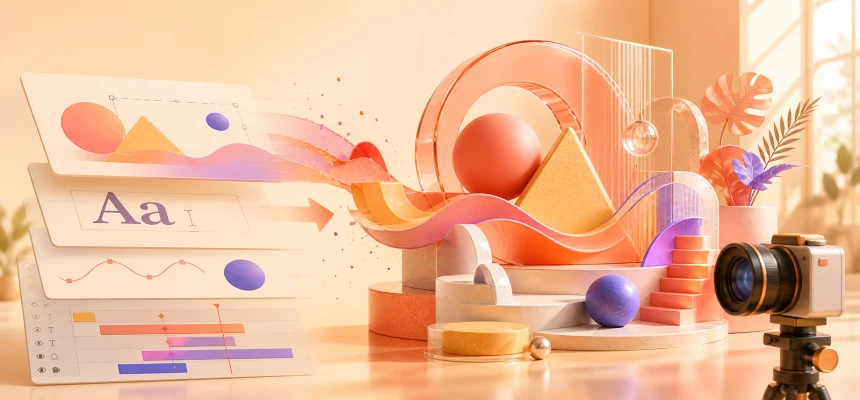
Layer3D is a browser-based 3D design and animation tool that turns editable Figma, Sketch, and MasterGo designs into dimensional scenes, motion, rendered video, image frames, and print-ready geometry.
The Gap Layer3D Is Designed to Close
Most visual projects begin in a two-dimensional design tool. A designer establishes the composition, typography, color, hierarchy, and brand language in Figma or a similar workspace. The moment that work needs depth or motion, however, the process often changes completely.
Traditional 3D production usually asks the designer to rebuild the scene in another application. Layer structures must be recreated, text may stop being editable, and carefully approved proportions can drift during handoff. The team must also manage a new set of concepts: three-dimensional coordinates, materials, lights, cameras, keyframes, render settings, file formats, and export steps.
That transition creates recurring problems:
- Finished design work has to be rebuilt instead of extended.
- The 3D result can drift away from the original visual system.
- Import, export, and file conversion interrupt creative momentum.
- A steep learning curve prevents many capable designers from entering 3D.
- Small teams struggle to coordinate design, motion, rendering, and delivery across separate tools.
Layer3D exists to make that transition continuous. It preserves familiar ideas such as layers, selection, and direct manipulation, then extends them into depth, materials, cameras, animation, and rendering inside one browser-based Studio.
Core Capabilities
Editable Design Import
Layer3D imports designs from Figma, Sketch, and MasterGo. Imported scene elements remain editable rather than becoming a single flattened image.
For Figma work, Layer3D can use layer order to establish depth and unfold a flat composition into a dimensional scene. Text, shapes, and visual relationships remain available for further editing, so an approved design becomes the actual starting point for 3D work.
This is especially useful when a team already has a complete product screen, brand composition, campaign key visual, or interface concept and needs to turn it into a launch animation, product demonstration, or spatial presentation.
Designer-Friendly 3D Modeling
Users can create and shape editable 3D forms directly inside Studio. The modeling workflow carries familiar selection and manipulation patterns into a three-dimensional workspace, giving visual designers a more natural entry point than a traditional production pipeline.
Layer3D also provides focused topology editing. Users can work with vertices, edges, and faces, then refine geometry with tools such as knife, loop cut, bevel, solidify, and subdivision.
The goal is not to hide 3D structure. It is to introduce that structure through interactions that make sense to someone who already understands layers, composition, and direct visual editing.
Non-Destructive Geometry Modifiers
Geometry operations can be stacked in an ordered modifier pipeline. Each modifier has its own visibility and adjustable influence, while the underlying geometry remains available for later edits.
This non-destructive approach is important in design work because revision is normal. A shape can evolve without forcing the designer to permanently commit every intermediate operation. Modifier parameters can also participate in animation, turning changes in form into part of the motion system.
Layered Materials and Effects
Layer3D uses an editable stack for procedural effects, color treatments, and material detail. Layers can be reordered, hidden, or given independent opacity values. Their properties remain available for animation.
The material workflow includes transparent and sanded glass treatments with separate blur and clarity controls. Designers can compare results, tune the surface, and keep the material connected to the scene instead of treating visual finishing as a separate external step.
Keyframe Animation in the Browser
The animation timeline uses familiar tracks, clips, keyframes, and a precise playhead. Properties can have their own animation tracks, allowing the user to control object transforms, scene states, material changes, and camera movement over time.
Because timing stays visible, a designer can understand where an action begins, how it develops, and how several elements combine into a complete sequence. Animation remains part of the editable design rather than becoming an opaque final effect.
Editable Text Animation
Text remains live and editable inside Layer3D. Font, style, and size can be changed while text-specific effects and keyframes are developed in Studio.
This matters for title sequences, product messaging, brand films, feature callouts, and social content. Copy can change late in the process without requiring the team to rebuild converted outlines or flattened artwork.
Camera, Material, and Scene Playback
Layer3D combines keyframed scene movement, camera animation, material changes, and timing into continuous Studio playback. The user can review the complete motion before committing to a final render.
This preview stage makes it easier to evaluate rhythm, framing, transitions, and the relationship between individual animated properties. It also keeps iteration close to the actual scene rather than relying on repeated test exports.
Progressive Path-Traced Rendering
The editable scene can move into a progressive WebGPU path-tracing workflow for final output. The renderer supports material-aware reflections and a denoise pass at final resolution.
Layer3D also provides an ordered post-processing stack with effects such as bloom, depth of field, tone mapping, and vignette. These finishing controls stay attached to the scene and render pipeline, so the final image can be refined without breaking the underlying editability.
Video and Frame Export
Layer3D connects scene creation to publish-ready output. Projects can be exported as video at up to 1080p and 60 fps, or as individual rendered frames. Clean exports are available without a watermark.
Frame export is useful when a project needs to continue into editing, compositing, advertising, or another downstream content workflow. The final output is not a dead end; it can become a reliable source for the next production stage.
Geometry Preparation for 3D Printing
The workflow can also prepare edited geometry for physical output. Layer3D includes checks for closed, manifold geometry, real-world scale and dimensions, and controlled wall thickness.
This gives selected digital models a shorter route toward prototypes or printed objects. The same scene that begins as a visual design can, when appropriate, continue toward a physical result.
A Complete Workflow in Three Stages
A typical Layer3D project moves through three connected stages.
- Choose a starting point. Fork an editable template, create a private draft, or import an existing Figma, Sketch, or MasterGo design.
- Shape the scene. Adjust 3D elements, topology, modifiers, materials, lights, cameras, text, and keyframes inside Studio.
- Render and deliver. Review the full animation, apply finishing effects, and export video or image frames for publication.
The value of this sequence is continuity. Design information does not disappear when the project enters 3D, and motion does not have to be organized in an unrelated environment.
The Practical Value of Layer3D
A Lower Entry Barrier to 3D
Layer3D begins with concepts that visual designers already understand. Layers, selection, editable text, and direct manipulation form a bridge toward depth, materials, cameras, topology, and keyframes.
Users do not have to become traditional 3D specialists before they can give an existing design spatial form and motion. They can learn the necessary ideas in the context of work they already know.
Less Rebuilding
Editable import allows existing design work to become the real foundation of a 3D scene. Time can be spent on depth, material, lighting, framing, and motion instead of reconstructing typography, shapes, and layout.
This also protects visual consistency. The dimensional result stays closer to the source design because the source remains present and editable.
A Shorter Toolchain
Modeling, materials, animation, preview, rendering, post-processing, and export live in the same browser workflow. Fewer tool changes mean fewer conversion steps, fewer version mismatches, and less production overhead.
For teams, this reduces the communication burden around where the current file lives, which application owns a change, and whether an exported asset still reflects the latest design decision.
Revision Without Starting Over
Editable layers, non-destructive modifiers, material stacks, and property-level animation tracks keep revision possible. When feedback arrives, the designer can change a specific layer or parameter rather than rebuilding the whole result.
That quality is essential for commercial design, where copy, timing, color, product screens, and brand details often change late in production.
More Capability for Small Teams
Independent designers, startups, and small studios rarely have a specialist for every production stage. Layer3D compresses a workflow that might otherwise require several applications and handoffs into a more direct environment.
It does not replace every professional discipline. It does allow a smaller team to cover a wider range of brand, product, and content needs with less operational friction.
Why Layer3D Needs to Exist
Three-dimensional visuals now appear throughout product launches, brand systems, landing pages, interface demonstrations, social media, and short-form video. The demand has expanded beyond teams built around traditional 3D production, but the tools and workflows have not always adapted to the people creating this work.
Many of the people who need dimensional expression are graphic designers, brand designers, UI and product designers, motion designers, and content creators. They already have strong visual judgment and useful two-dimensional assets. What they often lack is a natural path that extends those assets into 3D without discarding the way they work.
Layer3D fills that middle layer:
- It does not require a designer to become a traditional 3D software operator first.
- It preserves existing visual assets and design decisions.
- It treats 3D, animation, and rendering as an extension of design rather than a complete restart.
- It turns the browser into a connected workspace from source design to final delivery.
Its significance is therefore larger than the ability to create a 3D image. Layer3D reduces the procedural cost of moving good design into space and motion.
Who Layer3D Is For
Graphic and Brand Designers
Layer3D is useful for designers who want to turn logos, typography, posters, key visuals, and brand systems into dimensional compositions, title sequences, and animated campaign assets.
UI, UX, and Product Designers
Figma-based product teams can use Layer3D to create spatial interface demonstrations, feature animations, launch visuals, and concept presentations while retaining the structure of the original design.
Motion Designers and Content Creators
The timeline, editable text, material animation, camera controls, and video export support title animation, product clips, social content, and looping motion graphics in one workflow.
Marketing and Growth Teams
Teams that repeatedly create launch graphics, advertising assets, feature demonstrations, and campaign content can reduce their dependence on a long, specialized 3D production chain.
Independent Designers and Small Studios
Layer3D is a practical fit when one person or a small group must cover several stages of production. Fewer handoffs make it easier to move from an approved design to a finished motion asset.
Designers Entering 3D
People who already understand visual design but are new to 3D can begin with familiar concepts, then progressively learn depth, materials, cameras, keyframes, geometry, and topology.
Creators Preparing Simple Physical Output
When a project needs real dimensions, wall thickness, and manifold geometry checks, Layer3D can also support the step from a visual model toward a basic physical prototype.
Common Use Cases
- Turn a Figma product screen into a dimensional launch animation.
- Give a logo, type system, or campaign graphic spatial motion.
- Create product demonstrations, short advertisements, and social video.
- Start from an editable template and adapt it to a new brand or message.
- Build glass, reflection, depth-of-field, bloom, and lighting treatments.
- Export a 1080p video or rendered frames for editing and compositing.
- Check dimensions, closure, and wall thickness before basic 3D printing.
Where the Product Draws Its Boundary
Layer3D focuses on the path from design to 3D animation and publish-ready output. It is not intended to replace every specialized 3D production environment.
Projects that depend on advanced character rigging, large-scale physical simulation, complete game-asset pipelines, or highly customized film production may still require a professional digital content creation suite. Layer3D is strongest when editable design assets, fast iteration, visual communication, and direct delivery are the priorities.
That boundary is part of the product's purpose. Layer3D does not need to be the most complex 3D tool. It needs to make the most common design-to-3D workflow shorter, clearer, and easier to begin.
Conclusion
Layer3D connects design import, 3D modeling, topology, modifiers, materials, keyframe animation, editable text, cameras, rendering, post-processing, video export, frame export, and 3D-print preparation inside the browser.
For graphic designers, brand designers, UI and product designers, motion designers, content creators, and small teams, it provides a route into 3D that begins with existing skills and existing work. Its reason for existing is simple: good design should be able to move into space, motion, and final delivery without being rebuilt from zero.
Visit Layer3D or start a New Design.