Layer3D vs Spline: Browser 3D Design Compared in 2026

Layer3D and Spline are browser-based 3D tools, but they optimize for different outcomes: Layer3D turns design assets into precise rendered scenes, while Spline ships interactive experiences.
This detailed 2026 comparison examines modeling, topology, materials, glass, cameras, lighting, rendering, animation, AI, collaboration, physics, interactivity, code, web publishing, export formats, and 3D-print workflows.
Spline capabilities were checked against Spline's official product and documentation pages on August 31, 2026. Product features and plan limits can change. Layer3D capabilities reflect the current Layer3D Studio workflow.
The Short Answer
Choose Spline when the final product is a live interactive experience. Spline is exceptionally strong at states, events, actions, timelines, game controls, physics, particles, variables, API requests, webhooks, embedded code, real-time collaboration, AI generation, and direct publishing to web, Apple, and Android platforms.
Choose Layer3D when the project begins with structured product-design assets and ends with a carefully modeled, art-directed, high-fidelity image or animation. Layer3D directly imports from Figma, Sketch, and MasterGo, then adds topology editing, an ordered modifier stack, spatial materials, cameras, lights, progressive WebGPU path tracing, denoising, post-processing, and basic 3D-print checks.
Spline is broader as an interactive publishing platform. Layer3D has an absolute advantage in four focused production areas:
- Structured design-to-3D conversion from Figma, Sketch, and MasterGo.
- An ordered non-destructive modeling stack with operations such as solidify, bevel, and subdivision.
- Progressive path-traced output with denoising for material-rich final frames.
- Explicit basic print-readiness checks before suitable geometry moves toward physical output.
The right choice depends on whether the primary deliverable is an interactive runtime or a precision-rendered design asset.
Layer3D vs Spline at a Glance
| Capability | Layer3D | Spline | Stronger choice |
|---|---|---|---|
| Primary purpose | Design-to-3D modeling, animation, and high-fidelity rendering | Collaborative interactive 2D/3D experiences | Depends on deliverable |
| Browser-based workflow | Yes | Yes | Both |
| Direct Figma import | Structured design-to-scene workflow | Official import docs recommend flattened SVG; Figma integration embeds Spline into Figma | Layer3D |
| Sketch import | Yes | Not listed in documented import formats | Layer3D |
| MasterGo import | Yes | Not listed in documented import formats | Layer3D |
| OBJ, FBX, GLTF/GLB import | Not the primary differentiator | Yes, including imported skeletal animation | Spline |
| Editable mesh topology | Vertices, edges, faces, knife, and loop tools | Vertices, edges, faces, extrude, inset, loops, dissolve, and hole filling | Both |
| Non-destructive booleans | Modifier-oriented workflow | Nested editable union, subtract, and intersect | Both |
| Ordered modifier stack | Yes | No comparable ordered modeling stack documented | Layer3D |
| Solidify workflow | Yes | No equivalent documented modeling operation | Layer3D |
| Bevel and subdivision | Yes | Subdivision-surface modeling and shape bevel controls | Both |
| Layer-based materials | Yes | Yes | Both |
| Glass | Transparent and sanded glass with editable blur and clarity | Glass with transparency, reflection, refraction, blur, and thickness | Both |
| Reflections | Material-aware scene rendering | WebGPU reflection layer with Shape and Mirror modes | Both, different rendering goals |
| Lights and cameras | Yes | Yes | Both |
| Real-time renderer | Interactive preview plus high-fidelity render path | WebGPU by default, WebGL fallback | Spline for live experiences |
| Progressive path tracing | Yes | Not part of the documented real-time rendering workflow | Layer3D |
| Denoising | Yes | Not part of the documented workflow | Layer3D |
| Post-processing | Bloom, depth of field, tone mapping, vignette | Depth of field, pixelation, aberration, bloom, hue, brightness, vignette, noise | Both |
| Timeline animation | Tracks, clips, keyframes, playhead | Multiple timelines, presets, auto-recorded keyframes, graph editor | Both |
| State-based interaction | Not the primary workflow | States, events, and actions | Spline |
| Physics and particles | Not the primary differentiator | Built-in physics and particles | Spline |
| AI scene editing | Not the primary documented workflow | AI agent edits scenes, materials, lighting, animation, and code | Spline |
| Text-to-3D and image-to-3D | Not the primary workflow | Built-in paid AI generation | Spline |
| Real-time collaboration | Not the primary differentiator | Multiplayer, comments, permissions, autosave, versions | Spline |
| Components and team libraries | Reusable imported and scene assets | Components, instances, overrides, team libraries, multi-scenes | Spline |
| Data and web APIs | Render-oriented output | Variables, webhooks, API requests, real-time endpoints, Code API | Spline |
| Web embed | Rendered media can be placed anywhere | Public URL, viewer component, iframe, runtime, code export | Spline |
| Code export | Not the primary output | Vanilla JS, Three.js, React, Next.js, react-three-fiber | Spline |
| Native mobile delivery | Rendered media | Swift/SwiftUI, Xcode projects, visionOS, Kotlin, APK, AAB | Spline |
| Video and image sequences | Up to 1080p and 60 fps | MP4, WebM, PNG/JPG sequences with up to 60 fps listed | Depends on visual goal |
| 3D file export | Focused on production output | GLTF/GLB, USDZ, STL, and .spline |
Spline |
| Basic 3D-print checks | Yes | STL export is documented; print-readiness checks are not the focus | Layer3D |
The Fundamental Difference: Rendered Asset vs Interactive Runtime
Layer3D and Spline overlap far more than Layer3D and a typical 2D motion tool. Both work in the browser. Both offer three-dimensional objects, editable materials, glass, lighting, cameras, timelines, animation, and visual effects. Both are designed to be more approachable than traditional desktop 3D software.
The meaningful difference appears at the end of the workflow.
Spline treats the scene itself as the product. A published scene can react to the mouse, keyboard, scroll position, collisions, distance, game controls, variables, API data, and code. Spline Viewer can connect global page events to the canvas, while code exports and native platform options take the same experience into websites and apps.
Layer3D treats the scene as an editable production source for a finished visual asset. It begins with familiar design content, develops that content into geometry and materials, directs it with a camera and lights, then uses progressive path tracing and post-processing to create the final image or sequence.
Spline asks, “How will someone interact with this scene?”
Layer3D asks, “How should this designed object look when it is modeled, lit, framed, and rendered?”
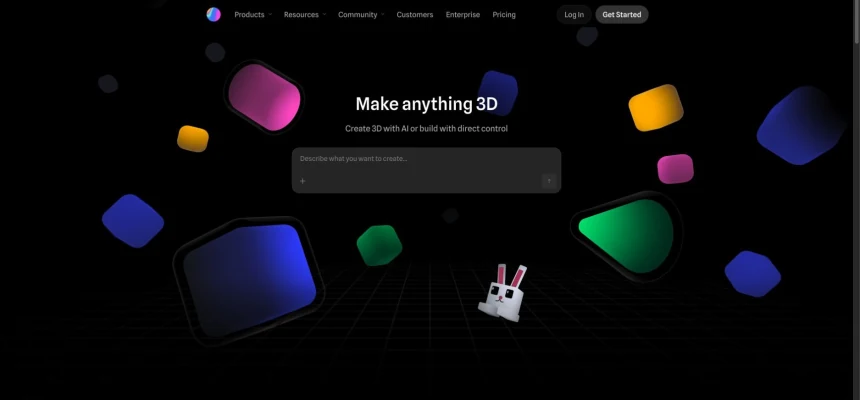
Spline product page shown for editorial comparison. Source: Spline, captured on August 31, 2026.
Detailed Capability Comparison
1. Starting From Product-Design Assets
Layer3D is built around continuity from design tools. It can import structured content from Figma, Sketch, and MasterGo while preserving useful layer organization, editable text, shapes, and visual relationships. The designer does not need to flatten the entire composition into a screenshot before adding depth.
Spline's documented import workflow is oriented toward standard media and 3D formats. It supports OBJ, FBX, STL, GLTF/GLB, SVG with partial support, PNG, JPG, MP4, audio, and Gaussian splats. Its official SVG guidance recommends flattening Figma content before import, and its documented Figma integration focuses on embedding a Spline scene back into a Figma frame through another plugin.
Spline's import range is better for bringing existing 3D assets and animated rigs into an interactive scene. Layer3D's workflow is stronger when the source of truth is a layered product-design file and those design semantics must survive the trip into 3D.
Verdict: Spline wins for general 3D and media imports. Layer3D has the direct advantage for Figma, Sketch, and MasterGo-to-3D continuity.
2. Mesh Modeling and Topology
Spline has genuine modeling capabilities and deserves credit for them. Its Smooth & Edit workflow converts geometry into a subdivision surface. Designers can extrude, inset, generate edge loops, add loop cuts, slide edges, modify or dissolve vertices, faces, and edges, and fill holes with flat, curved, or n-gon options.
Layer3D also supports vertex, edge, and face editing, but organizes the workflow around design-friendly construction and non-destructive refinement. Knife and loop operations establish topology, while bevel, solidify, and subdivision add edge treatment, thickness, and surface smoothness.
For an organic shape built directly in the browser, either tool may be sufficient. The Layer3D advantage becomes clearer for graphic forms imported from design files: a logo, wordmark, panel, icon, or interface element can gain controlled wall thickness and edge treatment while the original design relationships remain meaningful.
Verdict: Both tools perform real mesh editing. Layer3D is more compelling for controlled design-to-geometry refinement; Spline is strong for accessible direct modeling and sculpting.
3. Booleans, Modifiers, and Revision Safety
Spline supports union, subtract, and intersect operations, including nested booleans. The operation type remains changeable until the user chooses to bake it with Apply & Edit. This is a useful non-destructive workflow, although Spline's own documentation notes that complex booleans can be expensive and recommends reducing sides or baking results when performance becomes a concern.
Layer3D goes further by presenting modeling changes as an ordered modifier stack. Bevel, solidify, subdivision, and related operations can remain separate and adjustable. Their order matters: adding thickness before subdivision can produce a different result from smoothing first and adding thickness later.
That ordered history makes revision safer. A designer can change wall thickness without destroying the bevel, adjust subdivision without rebuilding the base form, or reorder operations to change the result while retaining the original geometry.
Spline has capable editable booleans. Layer3D has the stronger architecture for a longer chain of non-destructive modeling decisions.
Verdict: Layer3D has an absolute advantage when production depends on an explicit ordered modifier stack rather than a small number of editable construction operations.
4. Materials, Glass, and Surface Design
This category is highly competitive.
Spline uses a vertical material stack that feels familiar to graphic designers. Its documented layers include color, gradients, images, noise, glass, reflection, outlines, displacement, patterns, and masks. Its glass layer includes transparency, reflectivity, refraction, blur, and thickness. The WebGPU reflection layer supports a screen-aware Shape mode and a true mirrored-view mode for a primary flat surface.
Layer3D also uses an editable material and effect stack. It supports procedural treatments, animated material values, transparent glass, and sanded glass with independent control over visual clarity and blur. Materials remain integrated with the same cameras, lights, animation, and high-fidelity render path.
Spline's strength is rapid material design for a live real-time experience. Layer3D's strength is the final rendered relationship among the surface, neighboring geometry, scene light, and camera.
Verdict: Both tools provide sophisticated design-friendly materials. Spline is stronger for interactive real-time deployment; Layer3D is stronger when material appearance is judged in a path-traced final frame.
5. Lights, Cameras, and Art Direction
Both products support lights and cameras, so neither can claim a basic feature-count win.
Spline cameras and light properties can participate in states and animation. Its real-time renderer makes it easy to orbit, preview, and publish an experience that responds immediately. Camera selection in Play Settings determines the final exported view.
Layer3D treats camera and light direction as core parts of a shot-building workflow. Camera animation, spatial composition, material response, depth of field, and post-processing can be evaluated together. The goal is not only to navigate the scene but to control the final frame with the intent of a product photographer or motion director.
Verdict: Spline is better for cameras inside interactive experiences. Layer3D is better for camera-led cinematic rendering.
6. Rendering: Real-Time Speed vs Path-Traced Fidelity
This is Layer3D's clearest technical advantage.
Spline is intentionally real time. Its documentation describes an experience with “nothing to render and wait for.” WebGPU is used by default when available, with WebGL as a fallback. This is the correct architecture for interactive websites, games, product demos, and embedded scenes, because every frame must respond immediately to user input.
Spline's real-time approach includes strong visual tools such as glass, WebGPU reflections, shadows, depth of field, bloom, aberration, noise, and vignette. These effects can produce polished work, but the renderer must continuously balance quality and frame rate.
Layer3D provides a second quality path: progressive WebGPU path tracing with denoising. A path tracer can accumulate light information over time rather than limiting every decision to a live interaction budget. This improves the quality ceiling for reflections, transparent surfaces, soft lighting, contact, and material-rich product imagery.
The distinction is not that one renderer is universally better:
- Spline's renderer is better when the scene must remain live and interactive.
- Layer3D's path tracer is better when the final image matters more than continuous runtime speed.
Verdict: Layer3D has an absolute advantage for progressive path-traced final output. Spline has the decisive advantage for real-time interactive delivery.
7. Timeline Animation and Motion Control
Spline's current timeline is capable. It supports keyframe-based motion, presets, multiple timelines, automatic recording of changed properties, and a graph editor for easing. Animatable properties include transforms, size, materials, opacity, cloners, align-to-path values, path extrusion, cameras, and lights.
Spline also connects timelines to its event system. A Start event can play an animation on load, or a mouse, keyboard, collision, game-control, or conditional event can trigger it later. Imported FBX and GLTF/GLB skeletal animation can be triggered through animation actions.
Layer3D uses tracks, clips, keyframes, and a precise playhead to coordinate objects, materials, text, cameras, effects, and spatial composition. Its timeline is optimized around authored shots and rendered sequences rather than branching behavior.
Verdict: Spline wins for event-triggered and imported-character animation. Layer3D is stronger for a linear, camera-directed 3D production sequence.
8. Interactivity, Physics, Particles, and Live Data
Spline wins this category decisively.
Its no-code system is based on states, events, and actions. Events can respond to mouse and keyboard input, scroll, distance, collision, drag and drop, game controls, and other conditions. Physics and particle systems enable playful simulations and game-like scenes. Variables, webhooks, API requests, and real-time endpoints can connect the scene to external data.
Spline's Code tab adds an HTML document over the 3D canvas, with CSS, JavaScript, and an injected API for reading and changing the scene. External site code can also drive a published scene through the Code API.
Layer3D is not trying to replace this interaction platform. Its primary value lies in converting, modeling, animating, lighting, and rendering designed assets.
Verdict: Choose Spline for interactive websites, configurators, games, data-driven scenes, and no-code behavior.
9. AI Creation and Agentic Editing
Spline has a substantial AI lead. Its agent can create and edit objects, materials, lighting, animation, interactivity, and code through normal editor operations that remain undoable and collaborative. AI 3D Generation can turn text, an image, or both into a model. AI texture generation creates material images at multiple resolutions.
Spline's official guidance also communicates the limits: generated models can be heavy, texture can hide weak geometry, and sharp high-precision forms may require more cleanup than organic subjects. That makes AI a strong accelerator rather than a substitute for inspection.
Layer3D's current differentiator is not automated generation. It is direct control over an imported design, editable topology, the modifier stack, materials, cameras, and final rendering.
Verdict: Spline wins for AI-assisted scene and asset creation. Layer3D wins when the designer already has a precise source design and must preserve its intent.
10. Collaboration, Components, and Team Systems
Spline is multiplayer from the ground up. Multiple editors can work in the same file, see cursors, rely on autosave, control link permissions, leave comments, and use version history. Components, instances, overrides, multi-scenes, workspaces, projects, and team libraries support repeatable production.
Layer3D's collaboration advantage is workflow consolidation: import, modeling, materials, animation, camera work, rendering, and export stay inside one browser tool. That reduces transfers among specialized desktop applications, but it is not equivalent to Spline's live team infrastructure.
Verdict: Spline wins for multi-user collaboration, reusable interactive systems, and organization-wide libraries.
11. Code, Web Publishing, and Multi-Platform Delivery
Spline has one of the broadest delivery systems in browser 3D. It can publish a hosted URL, an iframe, a native <spline-viewer> web component, or code for Vanilla JS, Three.js, React, Next.js, and react-three-fiber. WebGPU is used when available, with automatic WebGL fallback. Events remain enabled in supported runtime exports.
The same scene can move to Apple platforms through native embeds, generated Xcode projects, and visionOS workflows, or to Android through Kotlin embeds, APKs, and AABs. Standard file outputs include GLTF/GLB, USDZ, STL, images, video, and image sequences.
Layer3D focuses on finished visual outputs: rendered video and frames that can be used in marketing pages, launch assets, presentations, social campaigns, and composited production.
Verdict: Spline wins for live web, app, and code deployment. Layer3D wins when the desired output is a final rendered visual rather than a runtime.
12. Video, Image Sequences, and Repeatable Frames
Both products can produce video and frame sequences. Spline's official image-sequence documentation lists 15, 24, 30, 48, and 60 fps, with PNG or JPG output. Its video exporter processes a selected duration, frame rate, and resolution for repeatable timing.
Layer3D supports rendered output up to 1080p and 60 fps in the current workflow. Its quality advantage appears when the sequence uses the progressive path-traced renderer, denoising, materials, reflection, depth of field, and post-processing.
Spline can capture a real-time interactive scene cleanly. Layer3D can devote more rendering work to each final frame.
Verdict: Spline is flexible for exporting interactive-scene animation. Layer3D is stronger for path-traced, art-directed frame quality.
13. Physical Output and 3D Printing
Spline supports STL export, which makes it possible to move geometry into a 3D-printing pipeline. However, its documented strength is format export and interactive deployment.
Layer3D explicitly includes basic checks aimed at identifying common geometry concerns before a suitable model continues toward printing or fabrication. These checks do not replace a manufacturing specialist or slicer, but they are a valuable bridge from visual design to a physical prototype.
Verdict: Spline offers the more extensive general file-export ecosystem. Layer3D has the advantage when the author wants basic print-focused feedback before export.
Layer3D's Absolute Advantages
Spline is broader, but breadth does not erase Layer3D's focused advantages. Layer3D is the stronger choice when the brief requires:
- Direct structured import from Figma, Sketch, or MasterGo.
- Editable text and design-layer continuity after conversion to 3D.
- A repeatable design-to-depth workflow rather than flattened SVG transfer.
- Knife and loop topology work combined with bevel, solidify, and subdivision.
- An explicit ordered modifier stack whose operation order remains adjustable.
- Progressive WebGPU path tracing instead of only a real-time rendering budget.
- Denoising for cleaner accumulated final frames.
- A shot-oriented workflow connecting camera, materials, lighting, and post-processing.
- Basic print-readiness checks before suitable geometry moves toward physical output.
If the deliverable depends on those requirements, Layer3D is not merely a stylistic alternative. It directly contains the production path the project needs.
Where Spline Is the Better Tool
Spline is likely the better choice when the project prioritizes:
- A live 3D website hero or interactive product experience.
- Mouse, keyboard, scroll, collision, distance, or game-control events.
- State-based no-code interaction and branching behavior.
- Physics, particles, cloners, and game-like systems.
- Variables, APIs, webhooks, and real-time data.
- AI-generated 3D assets, textures, scenes, and code.
- Real-time multiplayer editing, comments, permissions, and versions.
- Components, team libraries, multi-scenes, and community assets.
- Public URLs, viewer embeds, Webflow or Framer integration.
- React, Next.js, Three.js, or react-three-fiber delivery.
- Native Apple, visionOS, or Android experiences.
- Importing animated FBX or GLTF/GLB characters.
These are genuine strengths. A credible comparison should not pretend that a path-traced renderer replaces an interaction engine, or that a precise design-import workflow replaces a multi-platform runtime.
Which Tool Fits Common Projects?
| Project | Better starting point | Why |
|---|---|---|
| Interactive 3D website hero | Spline | Viewer embeds, global events, code API, real-time renderer |
| Scroll-driven storytelling | Spline | Scroll events and state transitions are built in |
| Lightweight browser game | Spline | Game controls, physics, particles, events, code |
| 3D product configurator | Spline | Variables, states, APIs, webhooks, live interaction |
| AI-generated scene prototype | Spline | Agent, text/image-to-3D, AI textures |
| Collaborative interactive campaign | Spline | Multiplayer, comments, components, publishing |
| Figma design turned into dimensional brand art | Layer3D | Structured import, editable design content, depth workflow |
| Sketch or MasterGo design converted to 3D | Layer3D | Direct source-tool continuity |
| Precision beveled logo with adjustable thickness | Layer3D | Solidify, bevel, subdivision, ordered modifiers |
| Glass product shot with polished final lighting | Layer3D | Path tracing, denoising, camera and post-processing |
| Cinematic dimensional typography | Layer3D | Editable text, scene camera, materials, rendered output |
| Concept moving toward a printed prototype | Layer3D | Geometry editing plus basic print checks |
| Interactive scene plus polished campaign stills | Both | Spline for runtime; Layer3D for art-directed final renders |
A Practical Decision Test
Ask two questions:
- Must the result respond to a user in real time?
- Must the result preserve design-file structure and reach path-traced final-image quality?
If the first answer is yes, Spline is usually the better foundation.
If the second answer is yes, Layer3D is usually the better production path.
If both answers are yes, use the tools for their strongest layers. Build the interactive experience in Spline, then use Layer3D for high-fidelity key visuals, product shots, launch frames, thumbnails, and campaign media derived from the same design direction.
Frequently Asked Questions
Is Layer3D an alternative to Spline?
Yes, when the project needs browser-based 3D modeling, materials, animation, cameras, and output. The products diverge after that shared foundation: Spline specializes in interactive experiences and multi-platform runtimes, while Layer3D specializes in design-to-3D continuity and high-fidelity rendered assets.
Which tool is better for beginners?
Both reduce traditional 3D complexity. Spline is approachable for assembling interactive scenes from primitives, assets, AI, and no-code events. Layer3D is approachable for product and graphic designers because familiar layers, text, imported design assets, direct manipulation, and an ordered effect/modifier workflow bridge the move into 3D.
Does Spline support real mesh modeling?
Yes. Spline supports subdivision-surface editing, extrude, inset, edge loops, loop cuts, vertex/edge/face editing, dissolve operations, and hole filling. Layer3D's advantage is not that Spline lacks topology; it is the combination of structured design import and an ordered stack including solidify, bevel, and subdivision.
Which tool has better materials?
Both use designer-friendly layer stacks and support sophisticated glass and surface treatments. Spline is better when the material must stay performant in a live interactive scene. Layer3D is better when the material will be judged through a progressive path-traced final render.
Which tool has better rendering?
Layer3D has the higher final-frame quality path through progressive WebGPU path tracing and denoising. Spline has the better real-time rendering architecture for interactive delivery, with WebGPU and automatic WebGL fallback.
Which tool has better animation?
Spline is better for event-triggered, state-based, interactive, and imported skeletal animation. Layer3D is better for linear, camera-directed, material-aware sequences intended for rendered output.
Which tool has better AI?
Spline. Its AI agent edits scenes and code, while built-in generation can create 3D models and textures from prompts and images. Layer3D's current advantage is precise direct control over existing design assets rather than automated scene generation.
Which tool is better for websites?
Spline, when the 3D content must remain live and interactive. It can publish public URLs, a viewer web component, runtime code, and framework integrations. Layer3D is appropriate when a website needs optimized rendered images or videos rather than a live 3D runtime.
Which tool is better for 3D printing?
Spline can export STL. Layer3D additionally provides basic checks intended to catch common geometry concerns before a suitable asset continues into a dedicated slicing or fabrication workflow.
Can Layer3D and Spline be used together?
Yes. Spline can own the real-time interactive experience, while Layer3D produces precision-rendered campaign assets or converts source product designs into controlled dimensional scenes. Standard rendered media makes the handoff simple even when the scene formats differ.
Final Verdict
Spline is one of the strongest browser platforms for collaborative, interactive 3D. Its AI, modeling, materials, timelines, states, events, physics, particles, code, APIs, components, and multi-platform exports make it the clear choice for live experiences.
Layer3D wins when the goal is narrower but more exact: start with a structured design, preserve its logic, build controlled geometry through an ordered modifier workflow, direct the scene with materials, lights, and a camera, then render it through a progressive path-traced pipeline.
For interactive 3D, choose Spline.
For turning product-design intent into a precision-modeled, path-traced visual asset, Layer3D has the decisive advantage.
Official Sources
- Spline product page
- What is Spline?
- Spline 3D modeling tools
- Spline Boolean operations
- Spline timeline animation
- Spline animatable properties
- Spline state-based animation
- Spline material layers
- Spline glass layer
- Spline reflection layer
- Spline post-processing
- Spline AI 3D Generation
- Spline AI Agent
- Spline import formats
- Spline Figma integration
- Spline code exports
- Spline Viewer
- Spline export and import FAQ
- Spline video export
- Spline image-sequence export
- Spline real-time collaboration