Layer3D vs Figma Motion: Animation Tools Compared in 2026
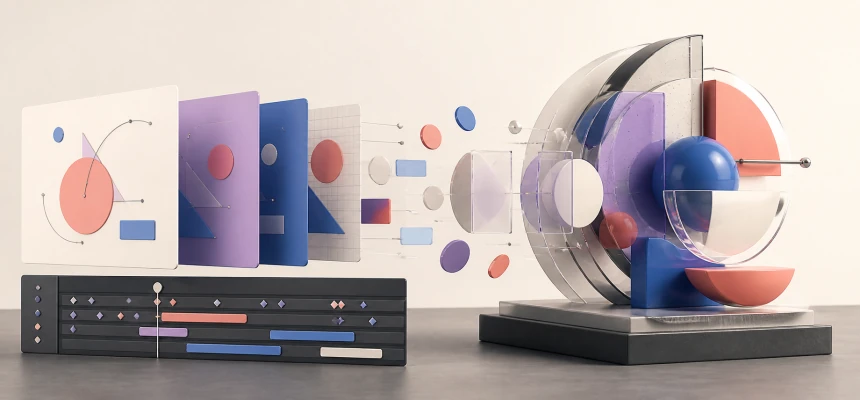
Layer3D and Figma Motion both bring animation closer to design, but only Layer3D turns design layers into editable, renderable 3D scenes.
This detailed comparison examines their timelines, keyframes, AI workflows, design systems, collaboration, code handoff, export formats, modeling, materials, lighting, cameras, rendering, and physical-output capabilities.
Feature availability was checked against Figma's official product, help, developer, and blog pages on August 31, 2026. This article compares Figma's native 2026 Figma Motion, not an older third-party plugin with “Motion” in its name. Figma Motion is currently in open beta, so its capabilities and plan limits may change. Layer3D capabilities reflect the current Layer3D Studio workflow.
The Short Answer
Choose Figma Motion when the work should remain inside a Figma design system. It is excellent for animating interface states, product flows, loading indicators, brand assets, and reusable components. Its native timeline, presets, variables, time-stamped comments, Figma agent, Dev Mode output, and MCP handoff make it unusually strong for product teams.
Choose Layer3D when the work must move beyond a flat canvas. Layer3D includes real mesh modeling, editable topology, a non-destructive modifier stack, spatial materials, transparent and sanded glass, lights, cameras, depth of field, progressive WebGPU path tracing, denoising, post-processing, and basic 3D-print checks.
The central distinction is structural:
Figma Motion animates a design on a canvas. Layer3D turns the design into a controllable three-dimensional scene.
That gives Layer3D an absolute advantage whenever the result depends on actual geometry, camera perspective, material response, spatial lighting, ray-traced reflections, or a model that must remain useful beyond a single 2D view.
Layer3D vs Figma Motion at a Glance
| Capability | Layer3D | Figma Motion | Stronger choice |
|---|---|---|---|
| Primary purpose | Browser-based 3D design, animation, and rendering | Native motion design inside Figma | Depends on deliverable |
| Starting point | Figma, Sketch, MasterGo, text, shapes, and 3D primitives | Existing Figma frames, layers, components, and variables | Figma Motion for native continuity |
| Timeline | Tracks, clips, keyframes, and playhead | Presets, manual keyframes, auto-keyframe, and layer timeline | Both |
| Motion presets | Useful starting points with editable scene control | Strong preset and composite animation styles | Figma Motion |
| Bézier easing | Yes | Yes | Both |
| Spring animation | No dedicated spring system documented | Built-in and custom spring easing | Figma Motion for product motion |
| AI-assisted animation | Not the primary documented workflow | Figma agent can create and revise keyframes | Figma Motion |
| Real-time collaboration | Not the primary differentiator | Native Figma multiplayer and comments | Figma Motion |
| Time-stamped review comments | Not the primary workflow | Native timeline-linked comments | Figma Motion |
| Animated components | Scene assets and reusable imported elements | Native reusable Figma animated components | Figma Motion for design systems |
| Timing and easing variables | Scene parameters can be animated | Native Figma timing and easing variables | Figma Motion for system governance |
| True 3D mesh geometry | Yes | No current mesh-modeling workflow | Layer3D |
| Vertex, edge, and face editing | Yes | No | Layer3D |
| Knife and loop cuts | Yes | No | Layer3D |
| Bevel, solidify, and subdivision | Yes | No | Layer3D |
| Non-destructive modifier stack | Yes | No | Layer3D |
| Current 3D transforms | Full three-dimensional scene workflow | Official product page labels 3D transforms “Coming soon” | Layer3D |
| Spatial materials | Layered editable material/effect stack | Fills, gradients, effects, and animatable shaders | Layer3D for physical surfaces |
| Transparent and sanded glass | Yes, with editable clarity and blur | Visual glass and shader effects on canvas layers | Layer3D for real scene interaction |
| Editable lights | Yes | No scene-lighting system | Layer3D |
| Editable camera | Yes | No 3D production camera | Layer3D |
| Real depth of field | Camera-based post-processing | Visual blur effects | Layer3D |
| Path-traced rendering | Progressive WebGPU path tracing and denoising | Canvas/video export, not a path-traced scene renderer | Layer3D |
| Code handoff | Rendered visual output | CSS, React, JSON, and Figma MCP context | Figma Motion |
| Video export | Up to 1080p and 60 fps | MP4 and WebM; higher than 1080p or 30 fps requires paid access | Depends on plan and output |
| Other export formats | Still frames and image sequences | GIF and SVG/animated SVG | Figma Motion for 2D formats |
| Lottie | Not the primary output | Planned, not currently listed as available | Neither today |
| Basic 3D-print checks | Yes | No | Layer3D |
The Fundamental Difference: Motion Design vs 3D Scene Design
Figma Motion is a major expansion of the Figma canvas. Designers can switch a frame into Motion mode, reveal a timeline, apply presets, add keyframes, record changes with auto-keyframe, edit easing, reuse animated components, and preserve motion values for developers. This is a strong answer to a long-standing product-design problem: animation often disappears during handoff because the design file contains only static states.
Layer3D solves a different problem. A flat visual is not merely given timing; it can become geometry. Depth is not only a scale illusion or perspective effect. It can be thickness, volume, topology, a beveled edge, a transparent surface, a light striking an object, or a camera moving around a form.
Figma's official Motion page currently promotes 3D transforms as Coming soon. Even when transform-based depth becomes available, a 3D transform is not the same as mesh modeling. Rotating a flat layer in three axes does not create editable faces, wall thickness, topology, physically meaningful glass, a subdivision surface, or an object that can be inspected from every angle.
This is why Layer3D's lead is not a small feature-count advantage. It is an architectural advantage for true 3D work.
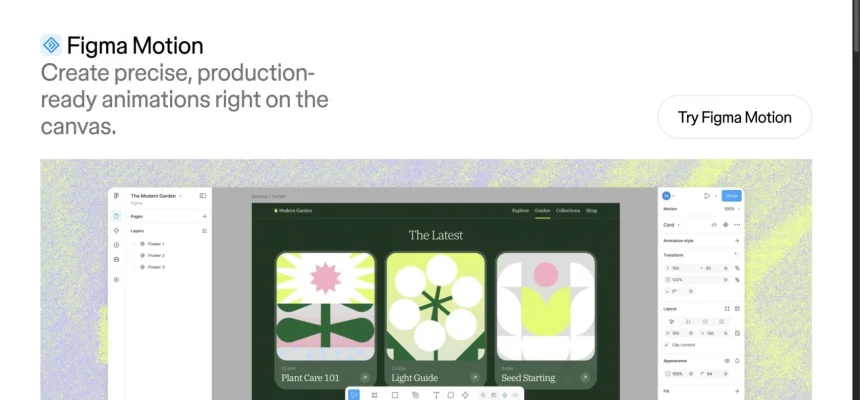
Figma Motion product page shown for editorial comparison. Source: Figma, captured on August 31, 2026.
Detailed Capability Comparison
1. Starting From an Existing Design
Figma Motion has the shortest possible path for a Figma-first team: there is no import. Motion lives beside Design, Draw, and Dev modes in the same file. Layers, components, variables, libraries, permissions, comments, and version history remain in their native environment.
That continuity is a real advantage. A product designer can animate an interface without rebuilding it elsewhere, and the team can review the result without learning another file structure.
Layer3D deliberately introduces a new stage because its destination is different. It imports structured designs from Figma, Sketch, and MasterGo while preserving useful layer organization, editable text, shapes, and visual relationships. The imported design becomes the starting material for a spatial composition rather than a final flat artboard.
Verdict: Figma Motion wins when the design should remain a Figma artifact. Layer3D wins when the design needs to become a 3D asset or scene.
2. Timeline, Keyframes, Presets, and Easing
Figma Motion provides a capable native timeline. Designers can add manual keyframes, enable auto-keyframe, move keyframes in time, scrub playback, change duration, and switch among loop, once, and ping-pong playback. Preset animation styles accelerate common moves, while composite styles stack multiple effects. Bézier curves and spring animations help product motion feel intentional rather than mechanical.
Layer3D also uses a timeline with tracks, clips, keyframes, and a precise playhead. The difference is the scope of the properties being directed. Its timeline can coordinate object transforms, material values, text effects, scene states, cameras, and geometry-related parameters within one spatial composition.
For a button entrance, loading state, or screen transition, Figma Motion's presets and auto-keyframe workflow are likely faster. For a shot where a camera orbits a beveled product while glass clarity, lighting, text, and object movement change together, Layer3D controls the more complete system.
Verdict: Figma Motion is stronger for rapid product and interface motion. Layer3D is stronger when the timeline must direct a rendered 3D scene.
3. AI Animation vs Direct Structural Control
Figma Motion can use the Figma agent to create a first animation pass from a prompt. Official examples show the agent creating variants, changing easing across many keyframes, preserving selected timing values, and applying motion logic at scale. This is valuable for exploration and repetitive editing.
Layer3D's strongest advantage is not generative automation. It is that the user directly owns the structure of the result. Geometry, modifiers, materials, lights, camera placement, text, and animation remain editable rather than being reduced to a generated video or a purely visual effect.
AI can accelerate a first pass. It cannot remove the need for a true scene graph when the deliverable requires real depth, controlled silhouettes from multiple angles, precise wall thickness, surface response, or production-ready camera work.
Verdict: Figma Motion wins for AI-assisted 2D animation iteration. Layer3D wins when exact scene structure matters more than prompt speed.
4. Geometry, Topology, and Modeling
This is Layer3D's most decisive advantage.
Layer3D supports editable vertices, edges, and faces. It includes practical topology tools such as knife and loop cuts, then extends them with bevel, solidify, and subdivision operations. An ordered modifier stack keeps changes adjustable, allowing a designer to revisit thickness, smoothing, edge treatment, or deformation without rebuilding the object from scratch.
Figma Motion operates on Figma layers and vectors. It can animate position, rotation, opacity, scale, path trim, and supported visual properties. Figma also offers sophisticated shaders and generative tools, some of whose parameters can be keyframed. These can create rich imagery, but they do not form a mesh-modeling and topology workflow.
Consider a logo that must become a beveled object. In Figma Motion, it can rotate, scale, change opacity, use effects, or eventually receive a 3D transform. In Layer3D, it can gain actual depth, editable edges, a refined silhouette, a subdivision surface, and geometry that stays valid as the camera moves.
Verdict: Layer3D has an absolute advantage for real 3D modeling. There is no close Figma Motion equivalent to topology editing or a non-destructive modifier stack.
5. Materials, Glass, Shaders, and Surface Behavior
Figma's canvas is increasingly expressive. Its fills, gradients, effects, blend modes, blur, and WebGPU shader system can produce sophisticated animated surfaces. Shader parameters can be keyframed, which makes Figma Motion useful for procedural backgrounds, glowing effects, animated noise, caustic patterns, and branded graphic treatments.
Layer3D's materials answer different questions. A material exists on a three-dimensional object within a scene. Surface appearance can be organized in an editable stack, combined with procedural effects, and animated over time. Transparent and sanded glass include controls for blur and clarity, while lights and neighboring objects influence the rendered result.
The difference becomes obvious when the camera moves:
- A Figma shader changes the appearance of a layer.
- A Layer3D material changes how a surface behaves in space.
- A flat glass effect suggests transparency.
- Layer3D glass reveals, obscures, and reflects other scene elements as their spatial relationships change.
Verdict: Figma Motion is powerful for animated graphic effects. Layer3D has the structural advantage for material-aware 3D surfaces.
6. Lights, Cameras, and Spatial Composition
Figma Motion's canvas is ideal for composing screens and frames. It does not currently provide a 3D production camera and scene-lighting workflow comparable to Layer3D.
Layer3D provides an editable camera, spatial lights, and a genuine scene. Camera movement changes perspective and parallax because objects occupy different positions in depth. Lights change highlights and surface response because they exist relative to the objects. Depth of field can isolate a subject based on camera focus rather than simulating blur on selected layers.
These capabilities matter for product reveals, dimensional logo animation, spatial typography, glass objects, packaging concepts, presentation shots, and branded 3D scenes. The final image can be revised by moving the camera, changing a light, or adjusting geometry instead of repainting a flat composition.
Verdict: Layer3D has an absolute advantage for camera-directed and light-directed animation.
7. Rendering and Final Image Quality
Figma Motion exports the appearance of an animated top-level frame. It is designed to produce clean digital motion assets and implementation context, not to simulate light transport through a three-dimensional scene.
Layer3D combines progressive WebGPU path tracing, denoising, material-aware reflections, a spatial camera, and an ordered post-processing stack. Bloom, depth of field, tone mapping, and vignette can be tuned as part of the same browser workflow.
This creates a different quality ceiling. When visual fidelity depends on a beveled edge catching light, transparent material overlapping geometry, reflections responding to another object, or focus shifting through depth, Layer3D is rendering information that does not exist in a flat Figma frame.
Verdict: Figma Motion is optimized for faithful motion export from a design canvas. Layer3D is the stronger renderer for cinematic, material-rich 3D images.
8. Design Systems, Collaboration, and Review
Figma Motion is exceptionally strong here. Animations can become reusable components, timing and easing values can become variables, and those system decisions can move across files and teams. Multiplayer editing, sharing, permissions, version history, and comments remain part of the existing Figma workflow.
Time-stamped comments are particularly useful: feedback can be attached to a specific moment in an animation rather than described vaguely in a message. This reduces review ambiguity and makes Figma Motion a compelling choice for large product organizations.
Layer3D's team value is production continuity. Import, geometry, material work, animation, camera work, rendering, and export stay in one browser application. That reduces handoffs between 2D design, 3D modeling, animation, and rendering tools, but it is not the same as Figma's mature multiplayer and design-system infrastructure.
Verdict: Figma Motion wins for native collaboration, review, and motion-system governance.
9. Developer Handoff and Production Code
Figma Motion treats implementation as a first-class output. In Dev Mode, developers can inspect a read-only motion timeline and copy generated CSS, React, or JSON. The Figma MCP server can send keyframes, motion type, timing values, and easing curves to coding agents. This is one of Figma Motion's clearest advantages for product UI.
Layer3D is primarily a visual-production tool. Its output is a rendered asset or sequence rather than a CSS animation specification. That is preferable when the product is the image itself—a 3D hero, product shot, cinematic reveal, loop, or rendered brand asset—but less direct when the destination is an interactive DOM component.
Choose Figma Motion when developers need inspectable UI animation values.
Choose Layer3D when developers and marketers need a visually finished 3D asset rather than instructions for recreating one in code.
10. Export Formats and Distribution
Figma Motion currently exports MP4, WebM, GIF, and SVG/animated SVG. Its help center states that exports above 1920×1080 or 30 fps require paid access. Figma has announced Lottie as a future format, but it is not currently listed as available.
Layer3D focuses on rendered video and frames, supporting up to 1080p and 60 fps in the current workflow. Its value is not the number of container formats; it is that each frame can come from real geometry, spatial materials, scene lighting, camera movement, reflections, depth of field, and post-processing.
For a lightweight interface animation or dev handoff, Figma Motion's format range is stronger. For a dimensional marketing image or shot whose realism comes from the scene itself, Layer3D's rendered output carries information a flat export cannot reproduce.
Verdict: Figma Motion wins for broad 2D and product-delivery formats. Layer3D wins when rendered dimensional fidelity is the deliverable.
11. From Screen to Physical Object
Layer3D includes basic checks for 3D printing and physical-output readiness. That does not replace a specialized manufacturing tool, but it extends the life of the asset beyond a video or image. A sufficiently appropriate model can continue toward a mockup, prototype, fabrication review, or printed object.
Figma Motion has no comparable geometry-validation path because its content is designed for screens and code handoff.
Verdict: Layer3D has an absolute advantage when a visual concept may need to become a physical object.
Layer3D's Decisive Advantages
Layer3D is not simply “Figma Motion with more effects.” It owns capabilities that require a fundamentally different engine:
- Real mesh geometry instead of layers that only appear dimensional.
- Vertex, edge, and face editing for intentional form construction.
- Knife, loop, bevel, solidify, and subdivision tools for production-oriented modeling.
- A non-destructive modifier stack that keeps modeling decisions editable.
- Materials that respond to scene lighting and surrounding objects.
- Transparent and sanded glass inside a spatial composition.
- Editable lights and cameras that direct a genuine scene.
- Perspective and parallax derived from depth, not manually staged layer offsets.
- Progressive WebGPU path tracing and denoising for higher-fidelity light and reflection.
- Camera depth of field and post-processing integrated into the render workflow.
- A single browser path from imported design to modeled, animated, rendered output.
- Basic 3D-print checks that let suitable assets continue beyond the screen.
If any of these requirements is central to the brief, Layer3D is not merely the preferred option. It is the tool in this comparison that actually contains the required class of capability today.
Where Figma Motion Is the Better Tool
A useful comparison should also identify the cases where Layer3D would add unnecessary complexity. Figma Motion is likely the better choice when the project prioritizes:
- Animating an interface without leaving its source design file.
- Reusable animated components for a product design system.
- Shared timing and easing variables across a team.
- Fast presets, auto-keyframe, and spring-based product motion.
- Figma agent assistance for generating or revising many keyframes.
- Multiplayer editing, permissions, version history, and time-stamped review comments.
- Dev Mode inspection and CSS, React, or JSON output.
- Figma MCP handoff to coding agents.
- MP4, WebM, GIF, or animated SVG from an existing frame.
- A motion workflow that designers already understand through Figma.
Those are substantial strengths. They do not diminish Layer3D's 3D advantage; they show that the products serve different production layers.
Which Tool Fits Common Projects?
| Project | Better starting point | Why |
|---|---|---|
| Button, tooltip, or loading animation | Figma Motion | Native UI layers, presets, springs, and code handoff |
| Animated product walkthrough | Figma Motion | Frames, components, comments, and Dev Mode stay connected |
| Design-system motion tokens | Figma Motion | Timing and easing variables are native |
| Animated SVG for a web interface | Figma Motion | Direct supported export |
| AI-generated first-pass UI motion | Figma Motion | Figma agent can create and revise keyframes |
| Dimensional logo reveal | Layer3D | Real extrusion, bevels, materials, camera, and light |
| Glass product animation | Layer3D | Spatial transparency, reflection, and depth |
| 3D typography with camera movement | Layer3D | Editable text inside a genuine 3D scene |
| Product-style hero render | Layer3D | Path tracing, materials, lighting, and post-processing |
| Concept that may become a printed object | Layer3D | Editable mesh plus basic print checks |
| Flat UI inside a rendered 3D device scene | Both | Figma Motion for UI behavior; Layer3D for the spatial shot |
A Practical Decision Test
Ask one question before choosing:
Does the animation need only time, or does it also need real space?
If it needs timing, easing, reusable components, product-team review, and implementation values, Figma Motion is an excellent fit.
If it needs thickness, topology, editable surfaces, lights, camera perspective, material response, reflections, focus depth, or physical geometry, choose Layer3D.
For mixed projects, use both deliberately. Design and govern interface motion in Figma Motion, then bring visual assets into Layer3D when the presentation requires a dimensional environment, a rendered device, a camera move, or cinematic material treatment.
Frequently Asked Questions
Is Layer3D an alternative to Figma Motion?
Yes, for designers comparing browser-based animation workflows. They overlap in timelines, keyframes, text, shapes, and motion output, but diverge in purpose. Figma Motion specializes in native product and interface animation. Layer3D extends familiar design assets into editable 3D scenes.
Is Figma Motion the same as Smart Animate?
No. Smart Animate interpolates supported differences between matching layers across prototype frames. Figma Motion adds a dedicated timeline, manual keyframes, auto-keyframe, animation styles, easing, reusable motion systems, agent assistance, export, and developer handoff.
Can Figma Motion create real 3D animation?
Figma's official Motion page currently labels 3D transforms as “Coming soon.” Transforming a layer in three dimensions can create perspective and spatial-looking motion, but it is still different from mesh modeling. Layer3D provides editable topology, thickness, subdivision, material-aware surfaces, lights, cameras, and path-traced rendering.
Which tool is better for UI animation?
Figma Motion. It stays inside the source design file and connects animation to components, variables, team review, Dev Mode, CSS, React, JSON, and MCP handoff.
Which tool is better for product visualization?
Layer3D, when “product visualization” means a modeled object with material, glass, light, reflection, camera perspective, and rendered depth. Figma Motion is stronger when the product is an interface and the final output is a motion specification or flat video.
Which tool has better AI features?
Figma Motion currently has the clearer lead in AI-assisted animation. The Figma agent can generate a first pass and modify many keyframes from natural-language instructions. Layer3D's advantage is direct structural control over the 3D result.
Which tool is better for collaboration?
Figma Motion. It inherits Figma's multiplayer environment, permissions, comments, version history, libraries, and time-stamped motion feedback.
Which tool is better for rendering?
Layer3D. Progressive WebGPU path tracing, denoising, spatial lighting, editable cameras, material-aware reflection, depth of field, and post-processing create a rendering workflow that Figma Motion is not designed to replace.
Can the tools be used together?
Yes. A team can build and document interface behavior in Figma Motion, then use Layer3D to place the design in a spatial composition, construct dimensional brand forms, add materials and lights, direct a camera, and produce a polished rendered shot.
Final Verdict
Figma Motion is one of the most important additions to Figma's product-design workflow. It brings animation into the source file and connects it to presets, keyframes, variables, components, comments, agents, Dev Mode, code, and MCP. For shipping interface motion with a product team, it is the stronger choice.
Layer3D wins a different and deeper category. It does not stop at animating the pixels a designer already has. It adds the geometry, surfaces, lighting, cameras, rendering, and physical continuity required to turn those pixels into a real three-dimensional production asset.
For interface motion, choose Figma Motion.
For true 3D creation, the advantage is decisive: Figma Motion gives a design time. Layer3D gives it space, volume, light, and a camera.
Official Sources
- Figma Motion product page
- Introducing Figma Motion
- Figma Motion open-beta availability
- Use the Figma Motion timeline
- Add and manage keyframes
- Use preset animation styles
- Create animated components
- Hand off animations to development
- Export animations from Figma
- Figma Motion support in the Plugin API
- Add time-stamped comments
- Figma shaders and generative plugins